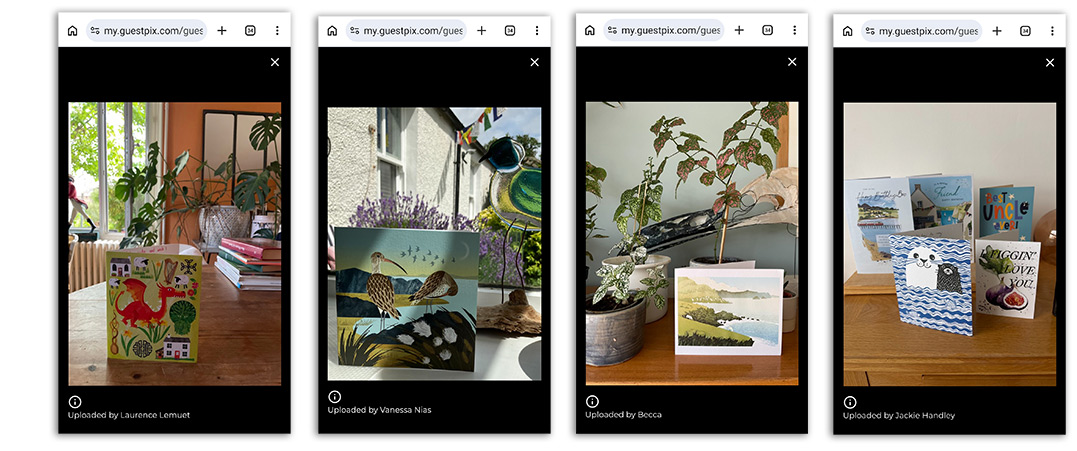
We’ve introduced a QR code on the back of each card so that the recipient can scan the code and upload an image of the card on display in their home. Here are some of the images we have received!
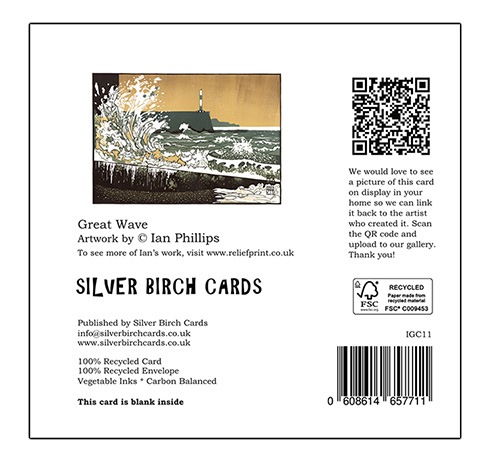
The text on the card reads:
“We would love to see a picture of this card in your home! Scan the QR code to upload it to our gallery and share the connection back to the artist who created it. Thank you!”
Uploading an image to the Guestpix App is easy. The recipient simply takes a photo of the card on display and then scans the QR code on the back of the card to upload it in a few simple steps. No need to make an account. Here is a link to our online gallery with Guestpix.
Send Us a Photo!
Upload a photo of our cards on display in your shop and we will post it on social media and tag you in.
- Take a photo of Silver Birch Cards in your shop on your phone.
- Scan this QR code with your camera and follow the link.
- Follow the instructions to upload the image.